Vista Blue Connect Help
Vista Blue ConnectOpen VBC
Everyday workSubmit and follow a request
Everyday work

Submit and follow a request

Create a maintenance or service request, choose the correct building or unit, and follow updates through completion.

Use Requests for maintenance and service matters that your association handles through VBC.
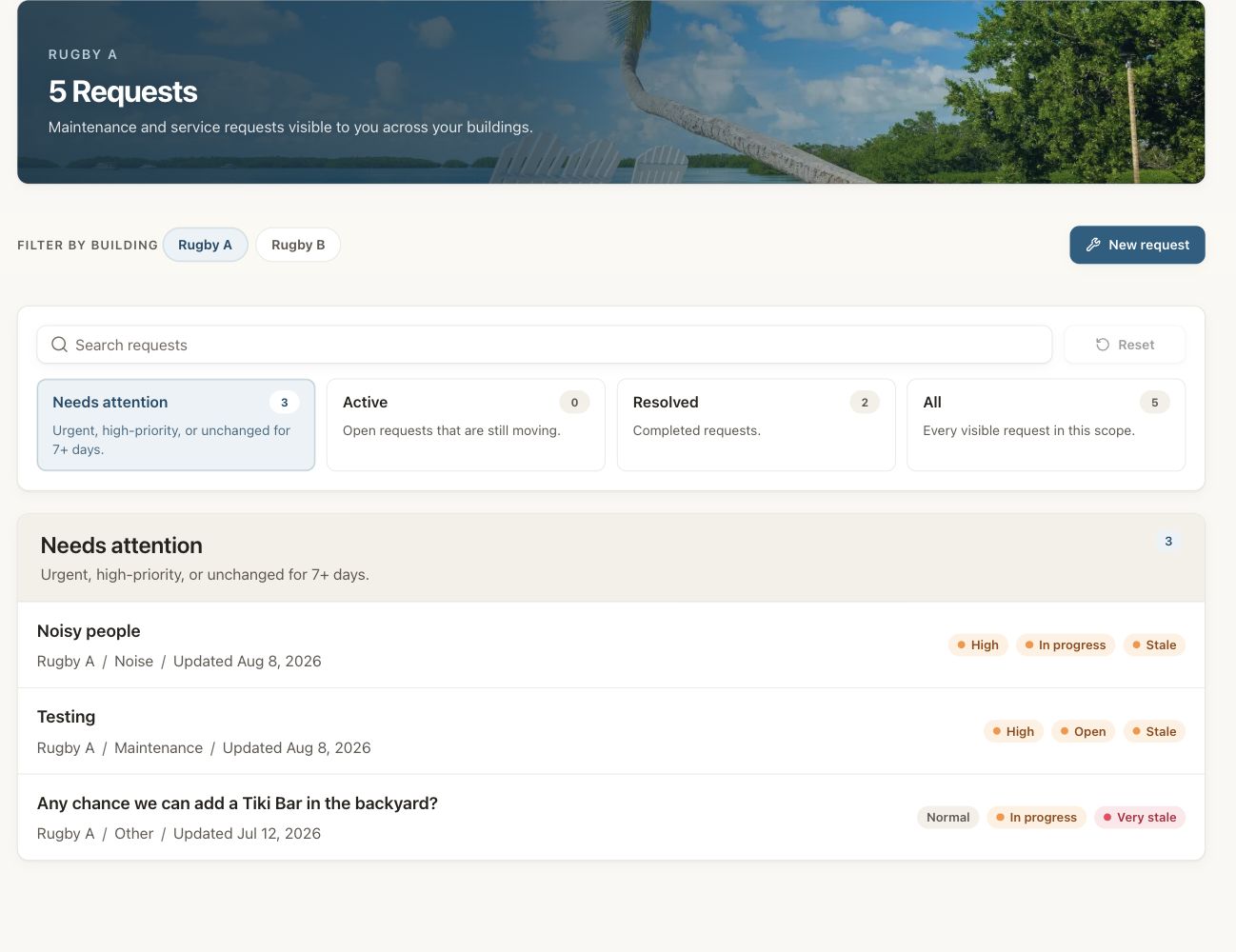
Vista Blue Connect requests page filtered to the dummy Rugby A building, with needs-attention, active, resolved, and all-request filters.

The Rugby A queue groups visible requests by the attention they need.

Submit a request

Select New request

Open Requests and choose the action to create a request.

Choose the building and unit

Select the location connected to the issue. The choices depend on your role and building access.

Describe the problem

Give a clear title and explain what is happening, where it is located, and when you first noticed it.

Add supporting information

Attach available photos or details when the form offers them. Avoid including unrelated private information.

Submit and follow the record

Return to the request to read messages, status changes, and the final resolution.

Emergencies

Who can see a request

Residents see requests available to their account. Board and management roles may have a broader operational view for the buildings they manage.

Use these docs with your AI tools

An AI agent can read this documentation directly. You do not need an account or an API key. Everything here is public and read-only.

Query these docs via MCP

Recommended

Add this server to Claude, Claude Code, Cursor, Mistral, or any tool that supports MCP. Your agent can then search Vista Blue Connect Help documentation and read it in full, instead of answering from memory.

https://help.vistablueconnect.com/mcp
  • searchFind the passages that answer a question.
  • fetchRead one page in full, as Markdown.
  • list_pagesSee every page in this documentation.

Query these docs over HTTP

The same tools also work as plain web requests. Use this for scripts, or for any tool that does not support MCP. There is one endpoint per tool. Arguments go in the query string, and the answer comes back as JSON.

https://help.vistablueconnect.com/api/docs/search?query=custom+domain

Read the OpenAPI description. It is built from the same definitions as the tools, so it always matches what the endpoints do.

Read these docs as Markdown

Add .md to any page URL to get its Markdown source. You can also send the headerAccept: text/markdown to the page URL itself.

To read the whole documentation in one file, open llms-full.txt. For a short index of every page, open llms.txt.