Vista Blue Connect Help
Vista Blue ConnectOpen VBC
Everyday workRead announcements
Everyday work

Read announcements

Find building announcements, filter by association, and understand why an update may be visible to one role but not another.

Open Announcements to read updates published for your buildings.
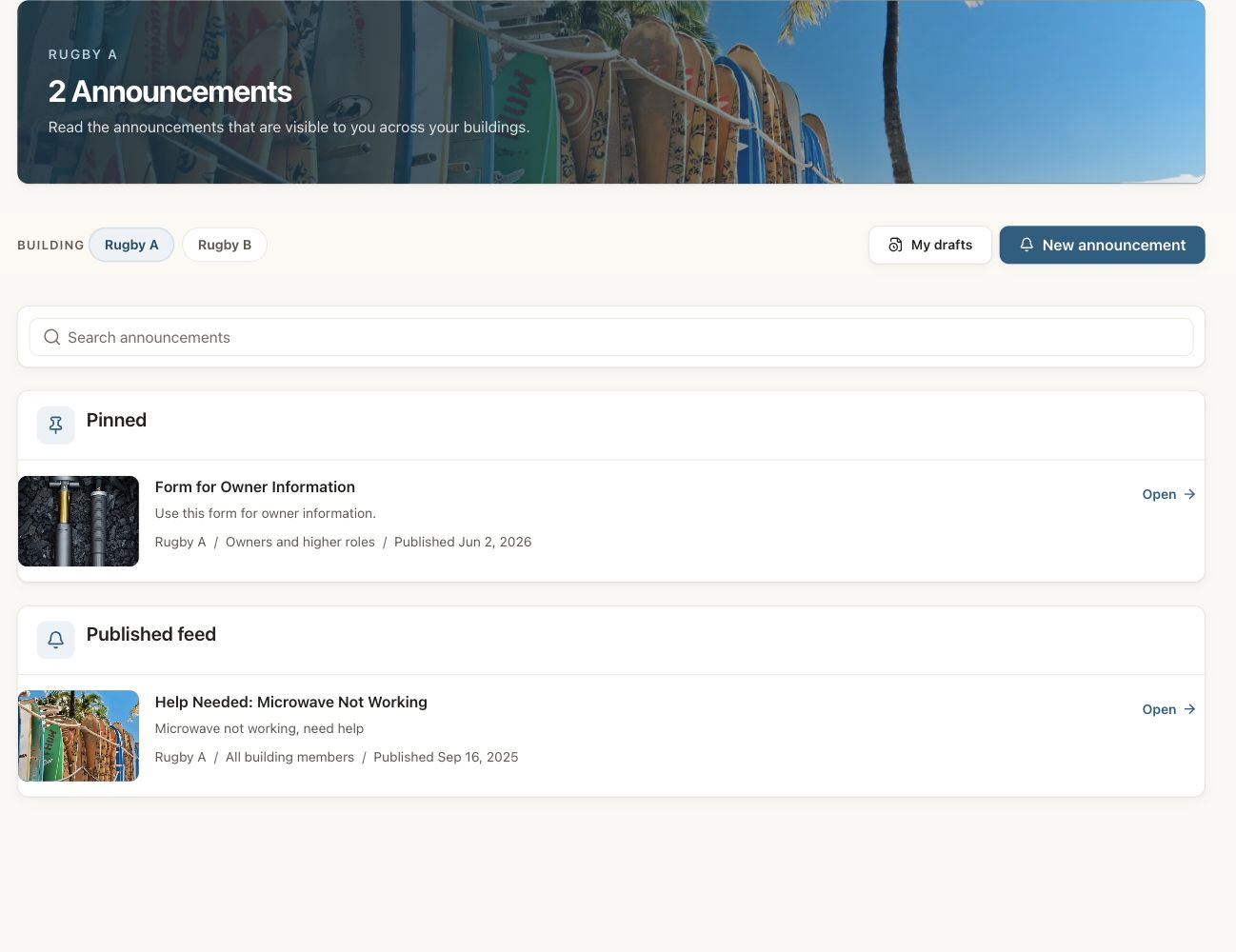
Vista Blue Connect announcements page filtered to the dummy Rugby A building, with pinned and published updates.

A Rugby A property-manager view. Draft and publishing actions appear only when the person’s role allows them.

Find an announcement

  • Use building filters when your account includes several associations.
  • Select a card to open the full announcement.
  • Check the publication information when you need to confirm how recent it is.

Visibility

An announcement can be limited to an intended building audience. You see only the announcements available to your active role and building access.

Notifications

An email may alert you to an announcement, but the VBC record is the current version. Open VBC if the message was updated after the email was sent.

Use these docs with your AI tools

An AI agent can read this documentation directly. You do not need an account or an API key. Everything here is public and read-only.

Query these docs via MCP

Recommended

Add this server to Claude, Claude Code, Cursor, Mistral, or any tool that supports MCP. Your agent can then search Vista Blue Connect Help documentation and read it in full, instead of answering from memory.

https://help.vistablueconnect.com/mcp
  • searchFind the passages that answer a question.
  • fetchRead one page in full, as Markdown.
  • list_pagesSee every page in this documentation.

Query these docs over HTTP

The same tools also work as plain web requests. Use this for scripts, or for any tool that does not support MCP. There is one endpoint per tool. Arguments go in the query string, and the answer comes back as JSON.

https://help.vistablueconnect.com/api/docs/search?query=custom+domain

Read the OpenAPI description. It is built from the same definitions as the tools, so it always matches what the endpoints do.

Read these docs as Markdown

Add .md to any page URL to get its Markdown source. You can also send the headerAccept: text/markdown to the page URL itself.

To read the whole documentation in one file, open llms-full.txt. For a short index of every page, open llms.txt.