Building communication
Manage the public building website
Edit the public building introduction, photos, style, and launch state without duplicating records from VBC's main feature pages.
Eligible board and management roles can open Management > Buildings > Public website for one selected association.
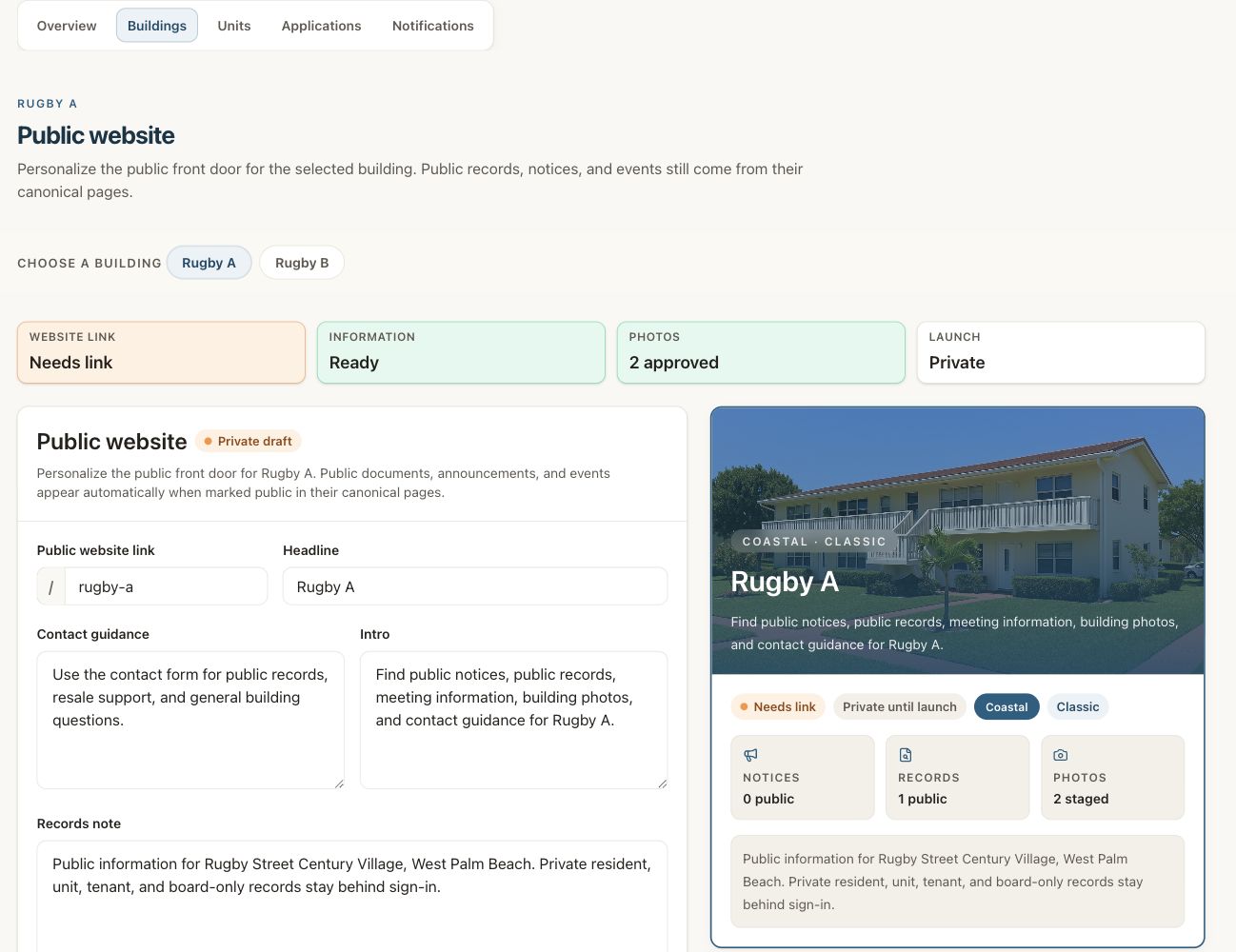
The Rugby A page remains private until its link and content are ready and an eligible user launches it.
What you can manage
- Public introduction and building copy.
- Approved public photos.
- Available visual style choices.
- Preview and launch state.
What stays elsewhere
Public records, notices, and events come from their main VBC pages. Do not copy and maintain a second version in the public-website editor.
Review before launch
Choose one building
Confirm the building filter.
Edit the public information
Use facts that the association can publish.
Preview the page
Check desktop and phone layouts, photos, links, and public records.
Launch when approved
Use the available launch action only after the association has approved the public content.